Convert an EPUB to a Word Document
The EPUB-to-DOCX converter helps you recover an editable manuscript from a finished EPUB file.
It is useful when the most recent version of a book exists only inside an EPUB production tool, or when changes were made after the original Word document was exported. Instead of remaining dependent on that application, you can convert the EPUB into a new .docx file and continue working in Microsoft Word, LibreOffice, Google Docs, or another compatible editor.
Open the Converter
You can access the converter from anywhere in Scryla.
Open the main navigation menu.
Select ePub to docx converter.
The converter opens in a separate page.
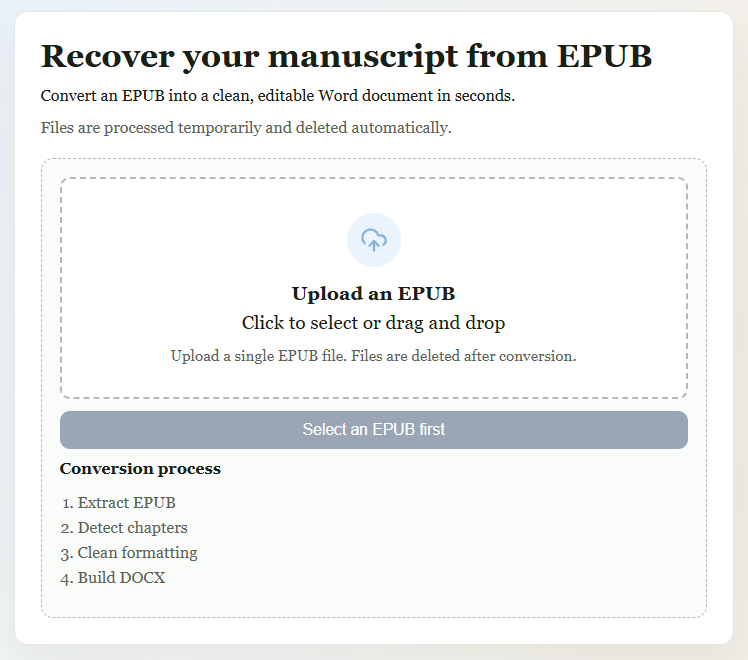
Convert Your File
To create an editable Word document:
Select the upload area, or drag an EPUB file onto it.
Choose the EPUB you want to convert.
Start the conversion.
Wait while the file is processed.
Download the completed DOCX file.
The converter extracts the book’s contents, detects chapters, cleans the formatting, and builds a new Word document.
Conversion usually takes only a few moments, although larger or more complex books may take longer.
What the Converter Is Designed to Preserve
The converter focuses on recovering a clean, readable manuscript rather than reproducing the EPUB’s visual design exactly.
It aims to preserve:
Chapter structure
Paragraphs and headings
Scene breaks
Basic text formatting
Footnotes where supported
Images where they can be extracted reliably
An EPUB is built for flexible screen reading, while a DOCX file is built for editing. Some layout details may therefore change during conversion.
Tip
Treat the downloaded file as a recovered manuscript rather than a print-ready recreation of the EPUB.
Review the Converted Document
Open the downloaded DOCX and check it before continuing your work.
Pay particular attention to:
Chapter headings
Scene breaks
Italics and other emphasis
Footnotes
Images
Unusual spacing or decorative formatting
EPUB files vary considerably depending on how they were created. A straightforward novel will usually convert more cleanly than a heavily designed book containing tables, custom layouts, or extensive illustrations.
Your File Is Processed Temporarily
Uploaded EPUB files are used only to complete the conversion and are deleted automatically afterward.
They are not added to your Scryla projects or counted against your Scryla storage allowance.
The converted DOCX is downloaded directly to your device. Store it somewhere secure and create a backup before making substantial changes.
Use the Converter to Keep Control of Your Work
Publishing tools should help you produce a book, not prevent you from taking the manuscript elsewhere.
Keeping an up-to-date editable copy gives you the freedom to change formatting software, revise an older title, prepare a new edition, or recover work when the original source file is no longer available.
For future projects, retain both the editable manuscript and the final EPUB whenever possible. The converter is there when those versions fall out of sync.