Story Map: Plots & Subplots
Plots & Subplots helps you keep track of the different storylines running through your novel and see where each one develops.
Your main plot may carry the book, but most novels also contain secondary conflicts, relationships, mysteries, character problems, or smaller threads that appear and disappear across several chapters. Scryla gives each of those storylines a place of its own.
You can find Plots & Subplots in:
Project → Story Map → Plots
Creating Your First Plot
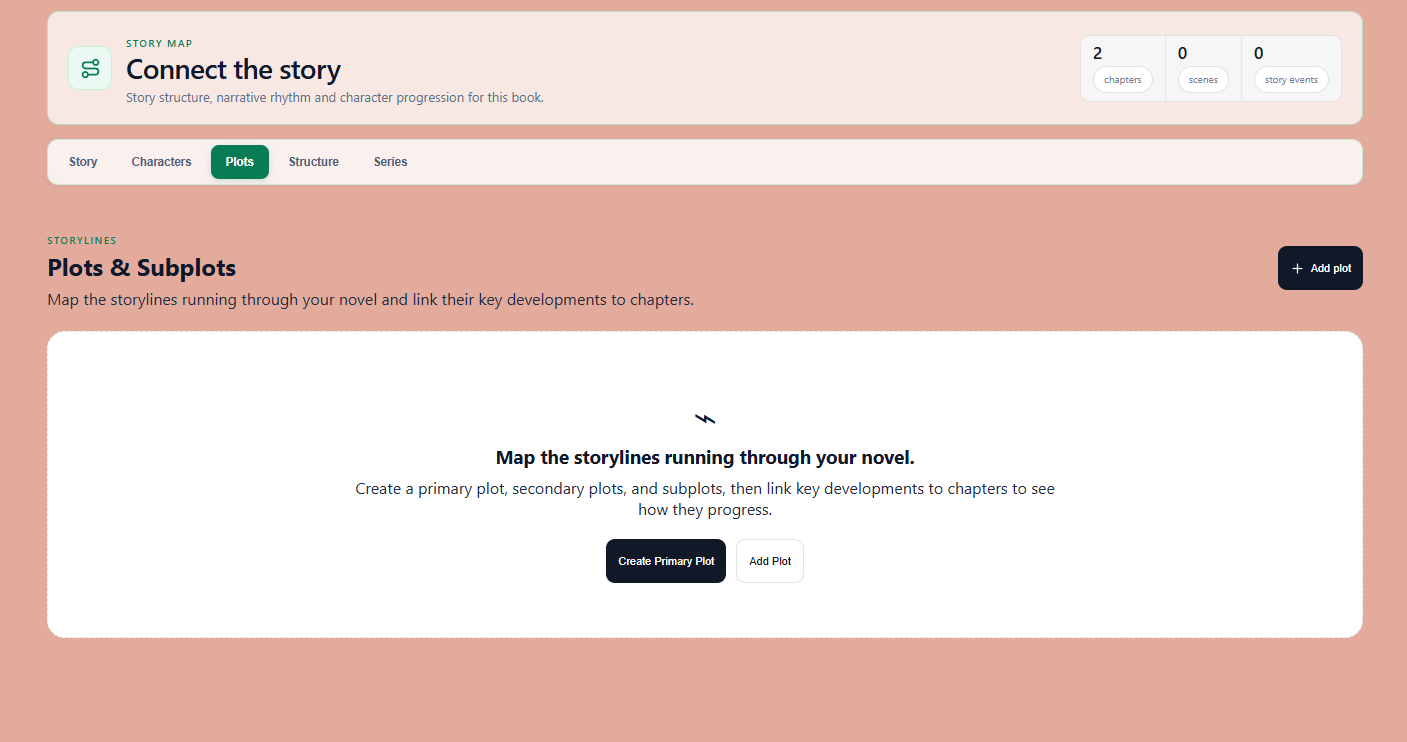
If you have not added any storylines yet, the Plots view will invite you to create your first one.
Choose Create Primary Plot to establish the main storyline of the novel.
You can also choose Add Plot if you want to create another type of storyline.
For each plot, you can record the storyline itself and then add the important developments that occur as the book progresses.
Plot Types
Scryla organizes storylines into three levels:
Primary Plot
The Primary Plot is the central storyline driving the novel.
Most projects will have one clear primary plot: the problem, goal, conflict, or transformation that gives the book its main direction.
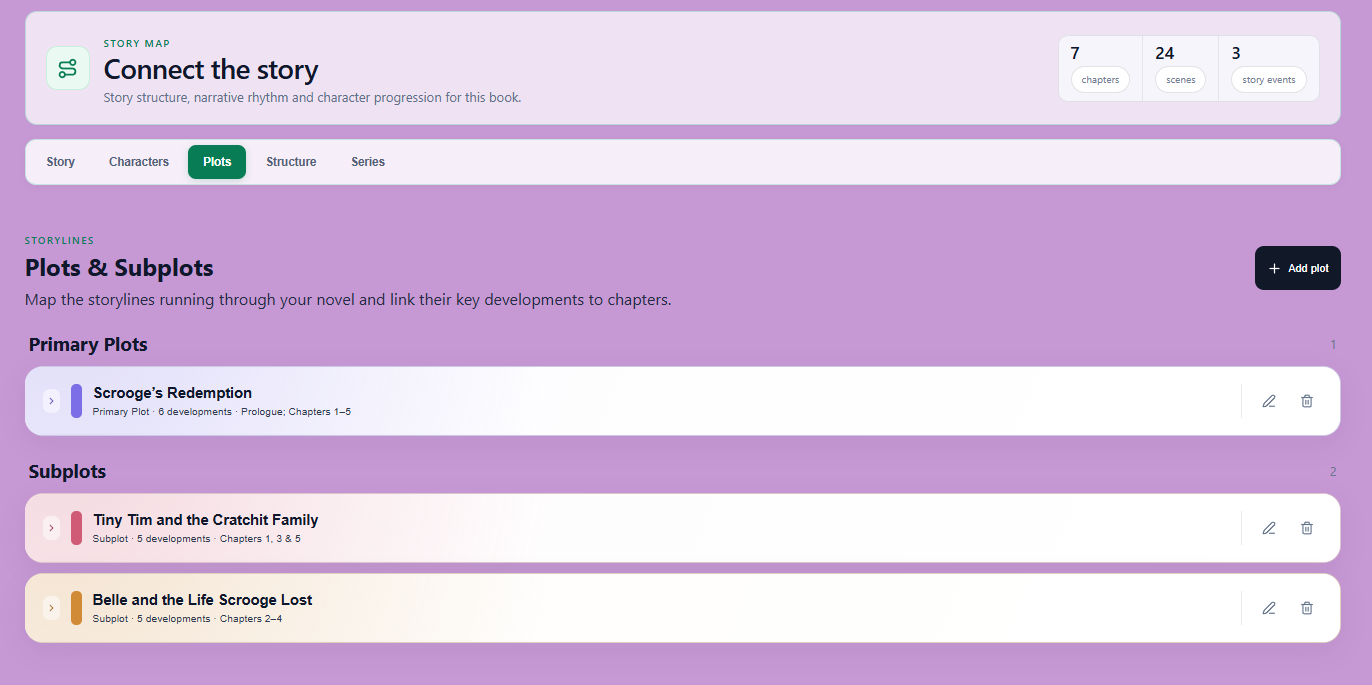
For example, in A Christmas Carol, Scrooge's redemption can be treated as the primary plot because it drives the story from beginning to end.
A project can have one Primary Plot.
Secondary Plot
A Secondary Plot is an important storyline that carries substantial weight but is not the novel's central plot.
It might involve a major relationship, mystery, external threat, family conflict, or other story problem that repeatedly intersects with the primary plot.
A project can have one Secondary Plot.
You do not need to create one simply because the option exists. If your novel has one primary plot and several smaller subplots, that is perfectly valid.
Subplots
Subplots are additional storylines woven through the novel.
You can create as many subplots as your story requires.
They might track:
a romantic relationship
a family conflict
a secondary character's problem
a mystery running beneath the main plot
a friendship or rivalry
a political or social storyline
an internal struggle
a recurring complication
Adding a Plot
Choose + Add plot from the top-right of the Plots & Subplots view.
Enter the details for the storyline and choose the appropriate plot type.
Each plot is given its own identifying color, making it easier to distinguish storylines as you work elsewhere in the Story Map.
You can edit a plot later using the Edit icon beside it.
Plot Developments
A plot is more useful when you can see how it changes.
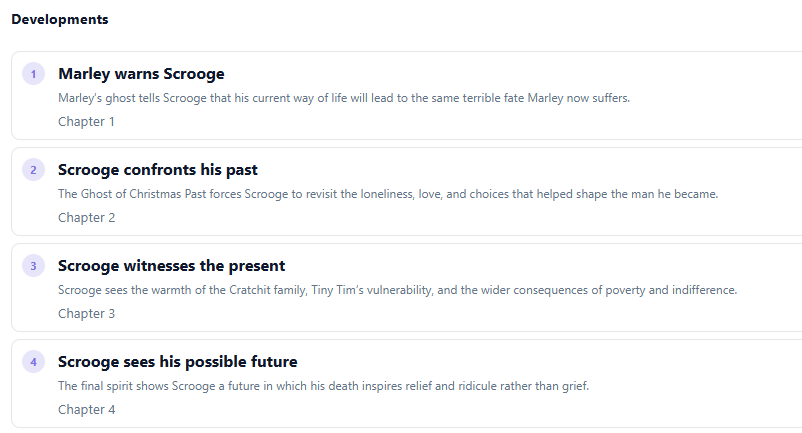
Each storyline can therefore contain a series of developments: the important moments when that plot advances, changes direction, becomes more complicated, or reaches a resolution.
For example, a relationship subplot might contain developments such as:
the characters first meet
mutual interest becomes apparent
one character discovers a secret
the relationship breaks down
they reconcile
A mystery subplot might instead track:
the first clue
a misleading discovery
a suspect emerges
new evidence changes the investigation
the truth is revealed
Think of developments as the major steps in that storyline rather than every scene in which it happens.
Linking Developments to Chapters
Plot developments can be linked to the chapters where they occur.
This allows Scryla to show not only what happens within a storyline, but where it happens in the novel.
Expanding a Plot
Use the arrow beside a plot to expand it and work with its developments.
From there, you can review the progression of the storyline, add new developments, and adjust where those developments belong.
Collapse the plot again when you want a simpler overview of all the storylines in the project.
Editing and Removing Plots
Each plot has controls on the right-hand side of its row.
Use Edit to change the plot's details.
Use the Delete control when you no longer need that storyline.
Take care when removing plots that already contain developments. If you are uncertain whether a storyline is truly unnecessary, consider reviewing its developments first.
Changing a Plot's Importance
Stories change during planning.
A subplot may become important enough to deserve a larger role, while a storyline originally intended as a major plot may shrink during development.
Scryla allows plots to be promoted or demoted so that their type reflects the story you are actually building rather than the plan you started with.
You do not need to rebuild the storyline simply because its importance changes.
Using Plots in the Story Map
Plots & Subplots becomes especially useful when viewed alongside the rest of the Story Map on the Structure view.
Your plot developments can be placed against the chapter structure of the novel, helping you see when each storyline appears and how it progresses across the book.
This can reveal problems that are difficult to notice in a normal outline.
For example, you may discover that:
a subplot disappears for several chapters
several major storylines all develop in the same part of the book
a secondary plot begins much later than intended
a subplot receives substantial setup but very little resolution
the primary plot becomes unusually quiet through the middle of the novel
The goal is not to make every storyline appear at perfectly regular intervals. Stories rarely work that neatly.
Instead, use the Story Map to ask whether each plot receives enough attention for the role you expect it to play.