Keeping a Beat Sheet Open While You Work
Docking a beat sheet keeps your story structure visible beside the Board while you work elsewhere in the project.
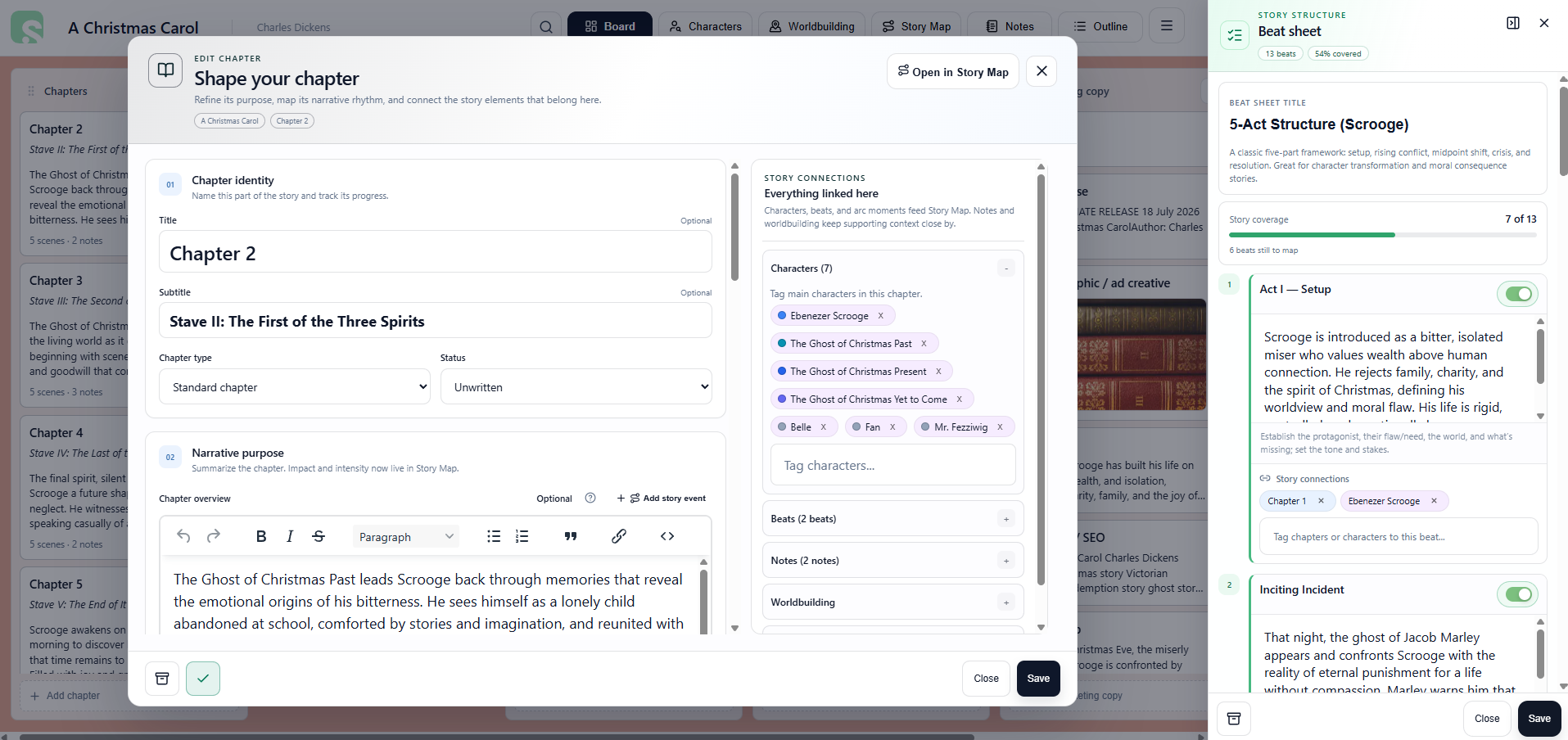
You can open and edit chapters, scenes, characters, notes, and other project items without losing sight of the beats guiding the story. The docked beat sheet remains active, so you can update it at the same time.
Note
Beat sheet docking is available on desktop only. Smaller screens like phones and tablets don’t have the space to open a dock while continuing to work.
Dock a Beat Sheet
To pin a beat sheet beside your workspace:
Open the beat sheet you want to use.
Select the Dock icon at the top of the beat sheet window.
The beat sheet moves into a fixed sidebar on the right side of the Board.
You can now continue working across the project while keeping the structure visible.
Work in Both Areas
A docked beat sheet is not read-only.
While it is open, you can:
Edit beats and their descriptions
Update beat status or coverage
Add or remove story connections
Open and edit chapters, scenes, characters, notes, and other project items
Move between different parts of the Project without closing the beat sheet (switch to worldbuilding, for example)
This makes the dock useful during planning, drafting, and revision. For example, you might open a chapter, compare it with the relevant beat, and update either one as the story develops.
Remember to save changes in each open area before closing it.
Collapse the Dock
When you need more room, collapse the beat sheet dock into an inactive panel.
Select the Collapse control at the top of the dock. The beat sheet remains, but the main workspace expands to use more of the screen.
Select the strip again to restore the full dock.
Collapsing is useful when you want the beat sheet close at hand without keeping its full contents visible all the time.
Close the Dock
When you are finished using the beat sheet, select the Close icon at the top of the dock.
Closing the dock does not delete the beat sheet or remove any saved work. You can reopen it from your Beat sheets column whenever you need it again.