Adding characters to your project
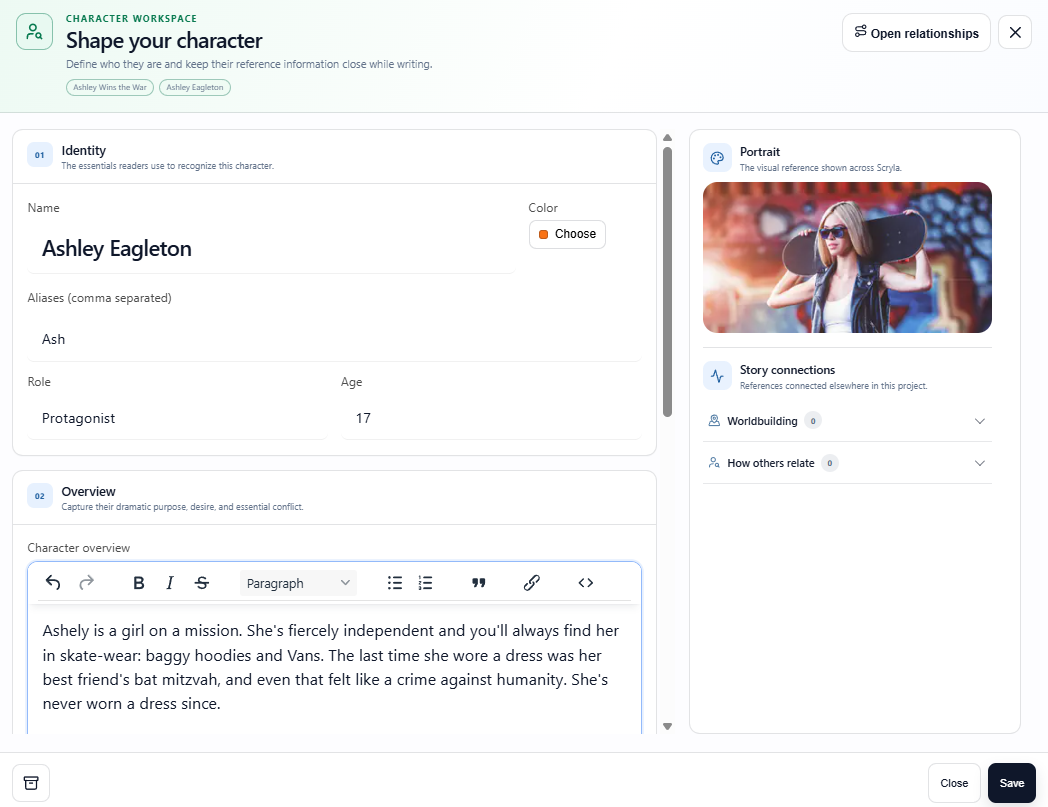
Along with the plot and your worldbuilding elements, Characters are perhaps the most important aspect of building your story.
Identity
Give your character an identity first.
As well as adding a name, if they have any aliases, include them here. This will become useful for tagging characters inside chapters later if your character name is Ashley but you refer to them in your overviews as Ash.
Enter a role (protagonist, antagonist, shopkeeper, moralistic inner voice…) and the character’s age. Age can be a number (17) or an informational tip (early 50s).
Overview
Add your character’s main overview here. Use this space to highlight the most important aspects of their persona – you can add more information (such as appearance, personality traits etc) below, so this space is best reserved for a high-level description of the character.
Portrait
On the right (or at the bottom if you’re viewing Scryla on a phone or tablet) you can add a character profile image or avatar. If you’ve commissioned character art, or found an image online that resembles your character, add it here.
Story connections
Worldbuilding items associated with your character, and relationship data will appear here once you’ve added those details in Story Map mode.
Profile
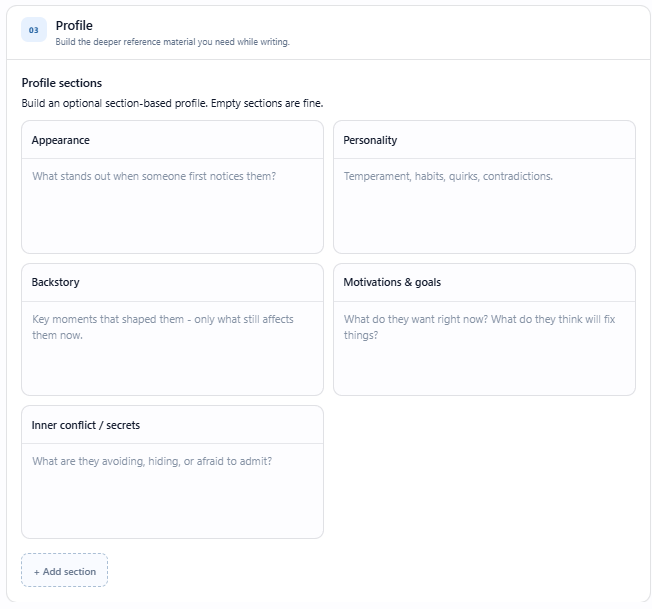
Each section under Profile is largely self-explanatory. Here you can drill down on your character’s appearance, personality, backstory, motivations and goals, and inner conflict or secrets.
Add as much or as little as you need in order to keep the character’s traits in mind while you write.
Need to add a Character arc?
You can develop character arcs and relationships in Story Map mode.
Read next: Adding marketing copy and assets