Adding a narrative framework (beat sheet)
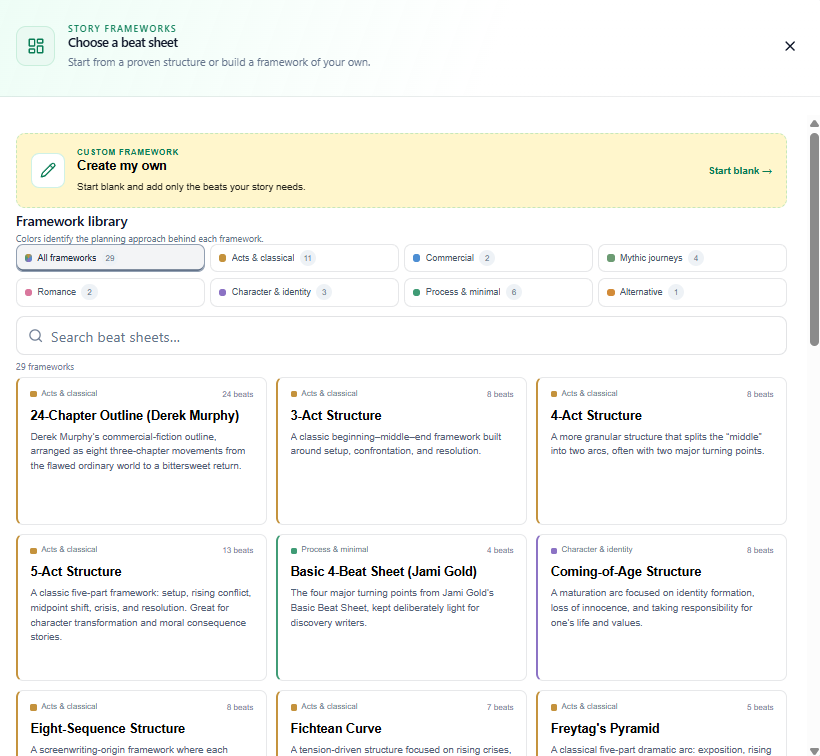
Scryla offers a number of narrative beat sheets. When you first click to add a beat sheet, you’re presented with a list of the available frameworks. You can narrow down the list with the filters at the top, or use the search box to find a framework by keyword.
Scryla incorporates the most common frameworks, such as Freytag’s Pyramid, MICE Quotient Story Threads, Romancing the Beat (Gwen Hayes), Save the Cat (Blake Snyder), Snowflake Method (Randy Ingermanson), and many more.
Your project can have more than one narrative framework.
Outlining your chosen framework
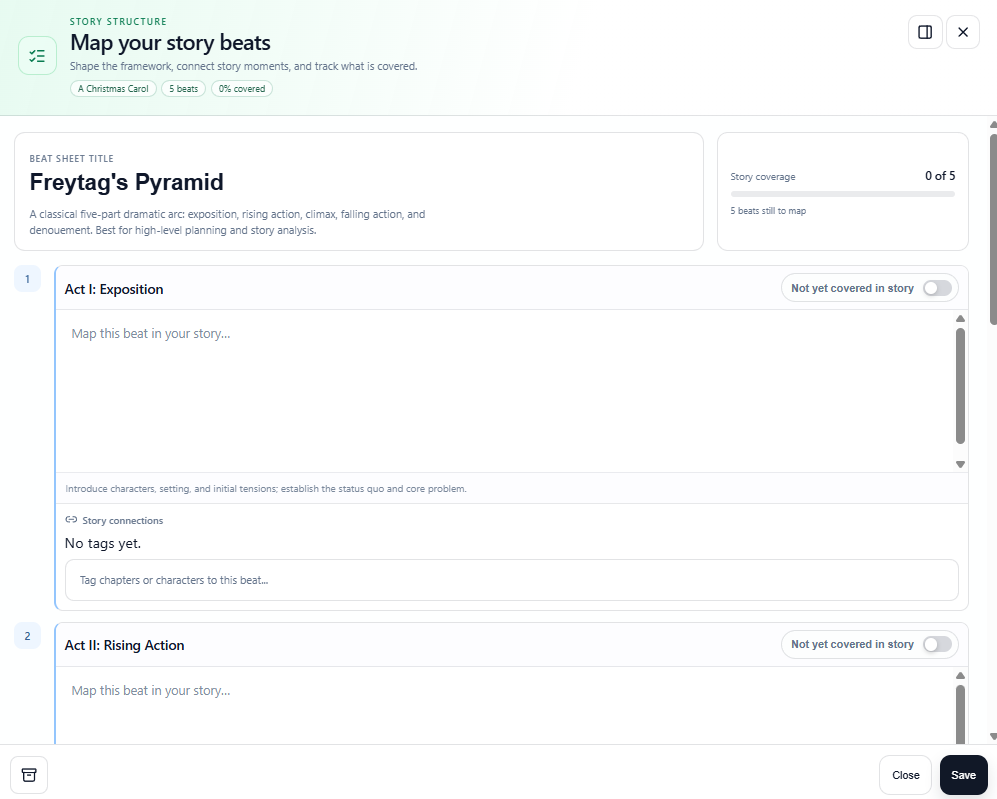
Once you’ve chosen a framework to use, you are presented with a dedicated beat sheet.
Title
The beat sheet is generated with the framework’s name, but you can change this if you wish. Simply click on the title to amend it.
Beats
Add an outline of your beat here, and if you know the location of your story where teh beat takes place, you can tag the chapter (and participating characters) on each beat.
Covered / not covered in story
Use the toggle switch on each beat to indicate when you’ve written the beat into your story.
You can track your story coverage at the top of the beat sheet where it highlights how many beats have been drafted in your story and how many remain outstanding.
Using a custom beat sheet

If you’d prefer to build your own framework of story beats, select Create my own from the framework navigator.
You’ll be presented with a blank template of five beats. You can remove beats or add additional beats if you need to.
You can still mark beats as complete or incomplete, and tag chapters and characters against each custom beat even if you’ve built your own framework.