Story Map: Characters view
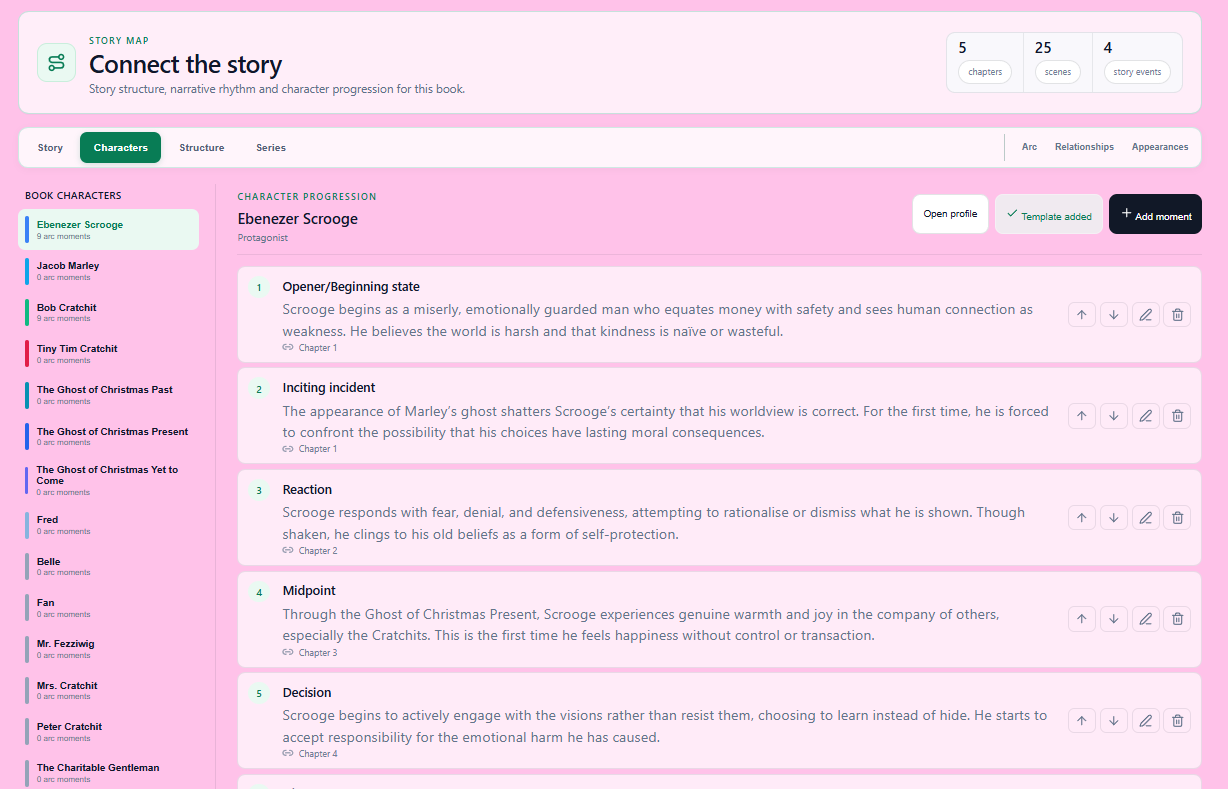
For each character in your project, you can add a complete character arc comprised of multiple arc beats, create bidirectional relationships between characters, and track your character’s appearances throughout the story.
Character arc
Select an individual character name to view that character’s arc and relationships.
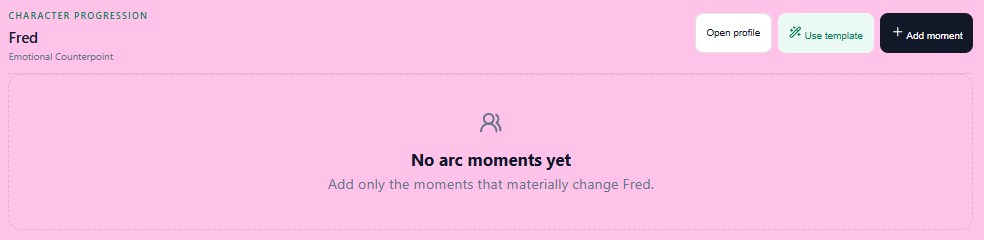
If you haven’t already added a character arc, you can add one using Scryla’s built-in template or build your own character beats by adding moments related to their character progress.
Using a Template
Scryla’s character arc template prepopulates the following moments for your individual character:
Opener / beginning state
Inciting incident
Reaction
Midpoint
Decision
Disaster
A-ha moment
Climax
Closer / ending state
You can delete or rearrange arc moments if you wish, but Scryla’s template is proven to provide a clear direction for your main characters as they progress through your story.
Character relationships
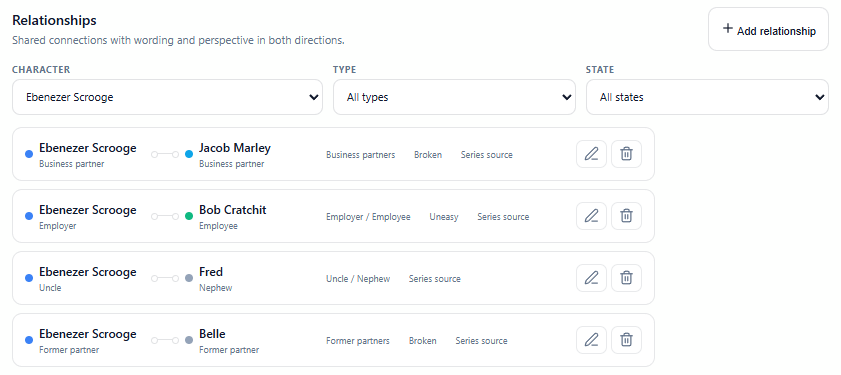
Bidirectional relationships between characters are important. Here, you can track who’s related to whom, and importantly, how both characters feel about that relationship.
In our example above, Ebenezer Scrooge has four tracked relationships. he is:
Jacob Marley’s business partner
Bob Cratchit’s employer
Fred’s uncle
Belle’s former partner
Relationships are bidirectional, which means if you say Scrooge is Bob’s employer, Bob’s character profile shows that Bob is Scrooge’s employee.
Scryla comes with a list of prefilled relationship types, and the ability to add a custom type.
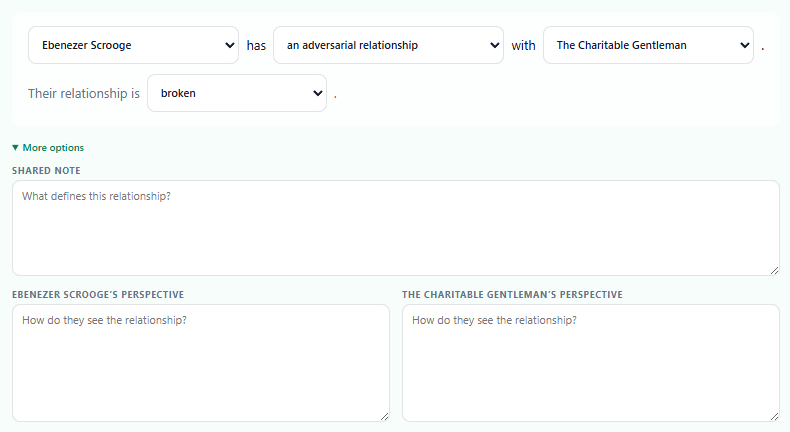
When creating a new relationship, define the participants, the relationship type (friendship, mentor, romance), and the relationship status (friendly, neutral, rebuilding).
Under more options, you can add notes that are shared across both parties, and also add each participant’s view of the other character.
Appearances
Based on character tags in chapters, here you’ll see a list of the chapters this character appears in. Clicking the chapter name will open the chapter window.
You can use this to track appearances across the entire story.