Adding important story notes
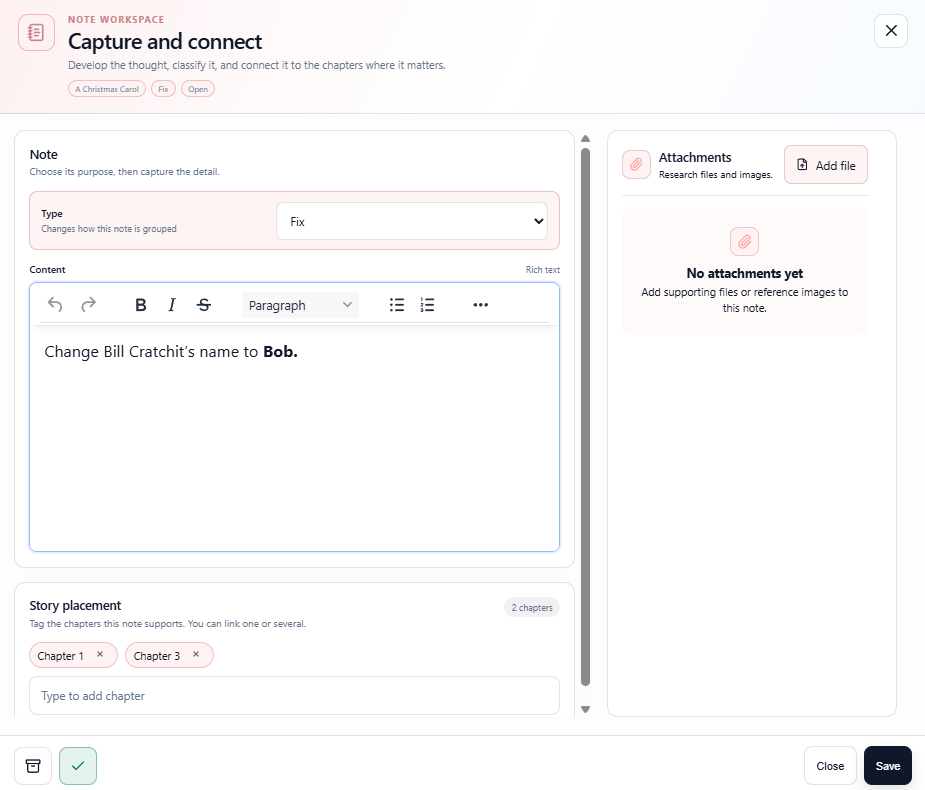
Use Notes to add reminders, ideas, research findings, and more.
Note type
Choose between
Reminder
i.e., The DeLorean needs to reach 88mph in order to time travelResearch
i.e., Detailed information about 17th Century LondonIdea
i.e., Maybe the dragon loves one thing more than gold: princessesTo-do
i.e., Add a scene to chapter 7 where Maggie bumps into Connor.Question
i.e., Is it worth exploring Susan’s relationship with Ignatio further before the midpoint?Fix
i.e., Change Bill’s name to Bob.
Story Placement
Here you can tag your note against a specific chapter or multiple chapters. If your note says “explore Susan’s relationship with Ignatio further”, you can pinpoint exactly where that exploration needs to happen in the story. Let’s say Chapter 11. Later, when you open the Chapter 11 card, you will see the related notes so that everything you need to be aware of is in one place.
Attachments
If you’ve gathered a list of documents for your story research or ideas, you can add them to the relevant note here. Upload the document (such as an image, PDF, Word document and so on) to the note’s Attachments area and you can access the document while you’re on the go. Upload it from home and still have access to it on your phone.
Read next: Adding characters to your project